
12: Castle Crasher
 Learning Target
- Create a VEXcode blocks project
- Complete a robotic task as quickly as possible
 Instructions
Step 1:
Use this link to access the school's Premium License for VEXcode VR:
https://vr.vex.com?classcode=GZXJUX
Step 2:
Click the "Select Playground" button.

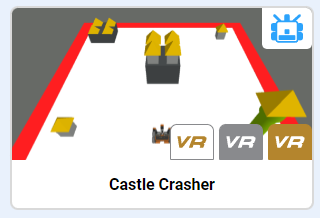
Choose the Castle Crasher playground.
Step 3:
Your goal is to "knock over" all of the castles in the shortest amount of time.
A castle is considered "knocked over" when the yellow roof is touching the ground or knocked out of the white zone.
Step 4:
Decide on an optimal path to follow before placing code blocks. You can change your mind later, but have a plan before you start.
Write the code needed to complete the task of knocking down all of the castles in the shortest time.
Step 5:
Once you are able to knock over the castles, be sure to take a screenshot each time you run your code.
-
- You need evidence of your fastest run time.
- Stop the simulation when the last castle is knocked over!
physics.
Step 6:
You are encouraged to try different code configurations if you have time. See the grading criteria below.
 Grading
| If your robot knocks down... | Your grade will be... |
|---|---|
|
Competition
|
Prizes for Fastest Times |
|
Extended
|
A++ |
|
Exceptional
|
A |
|
Good
|
B |
|
Reasonable
|
C |
|
Needs Improvement
|
D |
|
Insufficient
|
F |
| Scores may be rounded to the nearest whole number. | |
** Video Recording
You can record a video of your screen using the Xbox Game Bar (Windows Key + G).
You can also start a recording directly by pressing Windows Key + Alt + R