
14: CSS Selectors I
Completion requirements
Step 1:
Make a submission
Due: Monday, December 1, 2025, 2:00 AM
 Learning Target
- Use CSS selectors to choose desired parts of a page
 Instructions
Step 1:
Visit this page:
https://static.mrhelland.com/css-diner/
This is a mirror of a website that sometimes gets blocked:
https://flukeout.github.io/
This is a whimsical approach to learning the different ways you can select different parts of the page to apply styles.
Step 2:
For each level, enter the selector that chooses the moving objects on the table.
Note: There are no HTML5 plate, bento, orange, apple, or pickle tags in HTML5. This is just to be a bit whimsical.
Step 3:
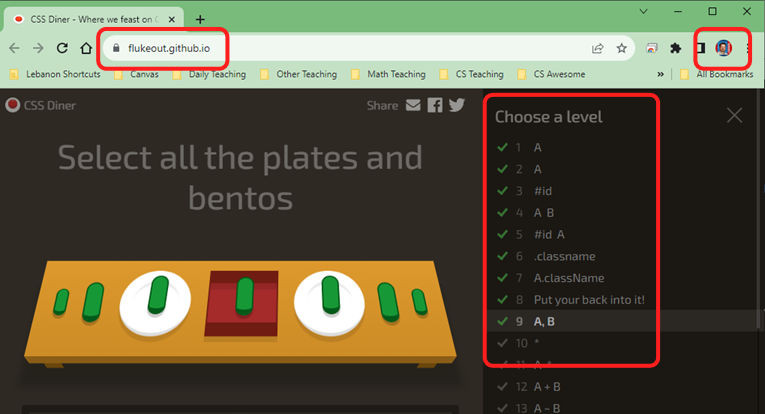
Anytime to leave the game or when you finish, take a screenshot. The screenshot must show these two things:
- Current URL
- Level progress (click the ≡ to open this)
- Your account icon in the top corner of Chrome
For example:
 Grading
| If you complete... | Your grade... |
|---|---|
|
Extended
|
A+ |
|
Exceptional
|
A |
|
Good
|
B |
|
Reasonable
|
C |
|
Needs Improvement
|
D |
|
Insufficient
|
F |
| Scores may be rounded to the nearest whole number. | |